Notion. Where do I begin? Ever since I started using Notion, I’ve never turned back. And hopefully, by the end of this post, I’ll convert you as well…
Notion is a powerful, all-in-one solution that brought unparalleled order and clarity to my digital world. Study notes, to-do lists, mood boards, you name it – Notion offers a single, flexible workspace that can adapt to your unique needs, from your daily tasks to your grandest aspirations.
So What’s The Big Notion?
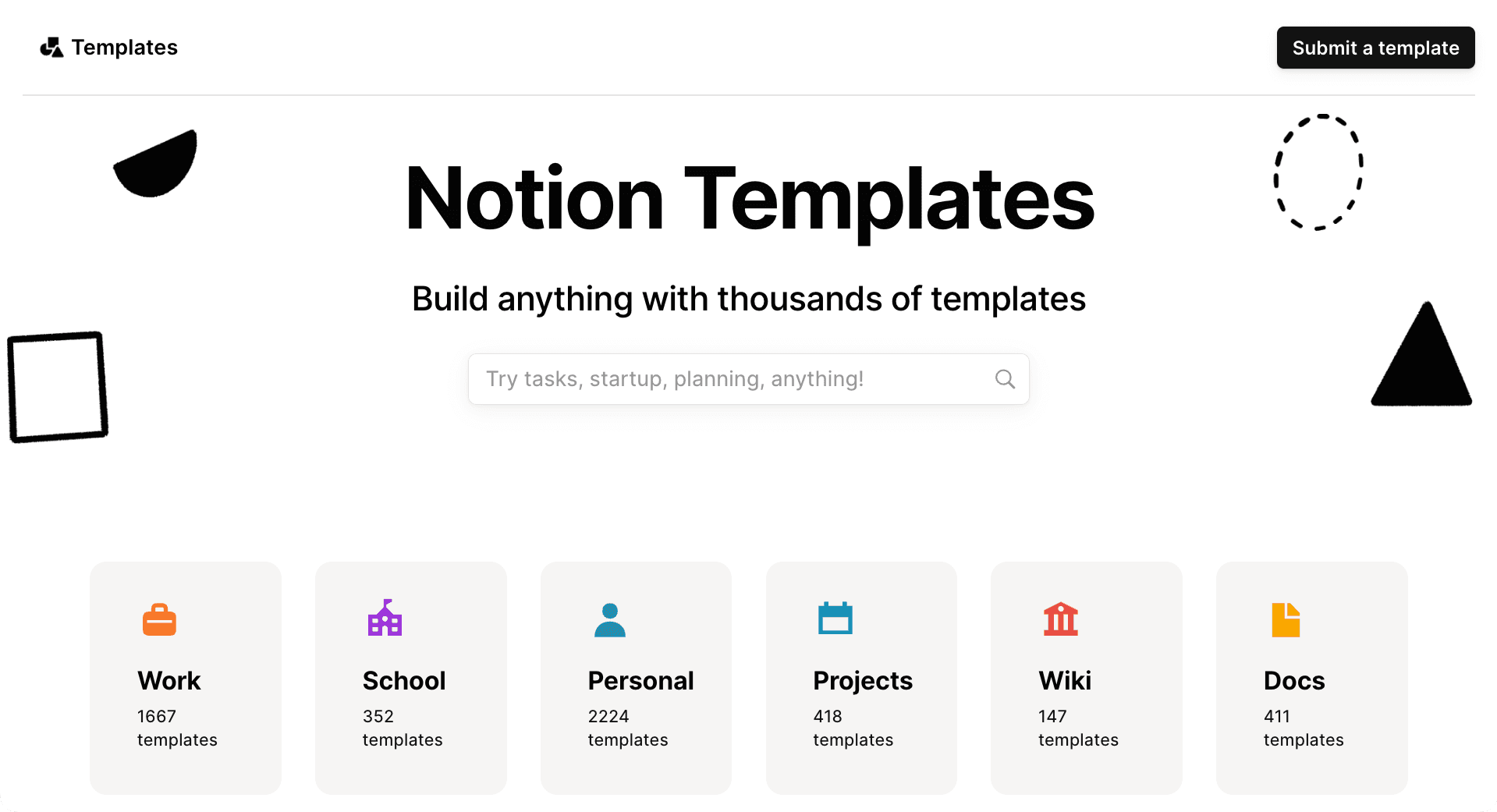
The core idea behind Notion is: it’s not just a note-taking app, or a to-do list, or a wiki. It’s a highly customizable, interconnected “all-in-one workspace.”
What makes Notion stand out is its unparalleled flexibility – how you can build anything you need (databases, notes, wikis, project trackers, habit trackers) and link them together. Not to mention its availability across all your devices, syncing seamlessly between the web and mobile apps it offers.
My Personal Notion Revolution
I’ve never really done to-do lists or planning before. I always just powered through all my tasks, and getting it done with sheer focus and willpower. Now, while that’s great and all, eventually I ended up having to delegate or plan ahead. As my life got more hectic, and my tasks and studies got more complex, I simply had to start scheduling and planning what to do each day, week and even month.
I initially went down endless rabbit holes, juggling different apps, planning inconsistently, losing track of ideas, getting bogged down by little details and perfectionism. I needed an easy way to manage everything.
That was when Notion came in. The very first way I used Notion was for my Literature class notes. Using Notion’s handy blocks (more on that later), I made a handy template that, with the click of a button, generates a Cornell note page for me to use during class and learn extremely efficiently. (Yes, it also shocked me!)

Then, I made another page for HSK reading practice. It was a simple library of HSK reading resources I had compiled, organised by HSK levels and sorted into 3 categories: Beginner, Intermediate and Advanced. I had turned it into a simple checklist, and started grinding through the 100s of texts.
Now, while I didn’t end up finishing either(…) I made another page, which also proved useful (at least for the short time I used it for…). I made a simple grade calculator that determines your average based on the scores of assessments you put in, and their weightings.
Perhaps the most useful page I made during Year 12 was a log of EVERY single past paper for the major WACE exams I had coming up. I (literally) locked myself in the 24 hour library near me, in a university I had infiltrated (and to this day, I’m still technically a student of that uni…but I digress), and grinded.

About 10-12 hours of maths with a 2 minute break, then 36 hours of Chinese essays…I will never forget that “week” of “study” (if you can even call it that). And the thing that stayed with me through it all, was not the people (who came and left, as they should – I was the anomaly there…), my pens (which I kept burning through), or even the pages (which I routinely destroyed from over-the-top “studying”) – it was my Notion log of all my exams.
There was no way I’d pull off all that study without logging my progress and organizing my study session. That was when Notion’s true power revealed itself. As you can probably tell by now, Notion has a remarkable ability to adapt to different, evolving needs and applications, to say the least. For me, it really helps synthesize different pieces of information and extend my lateral ability.
I quickly realized: If you can pull it off, Notion really can become your Digital Brain.
The Core Power: Interconnected Databases & Flexible Blocks
So, how does Notion achieve this incredible versatility? It boils down to two fundamental, yet incredibly powerful, concepts: Blocks and Databases. Understanding these is key to unlocking Notion’s true potential for your “Seinen Path.”
Blocks: The LEGO Bricks of Your Digital World

Think of blocks as the individual LEGO bricks of your Notion pages. Every piece of content you add – a paragraph of text, a heading, a bullet point, an image, a video embed, a to-do list item, even a link to another page – is a block.
The beauty of blocks is their flexibility. You can:
- Drag-and-drop them anywhere on a page.
- Transform them from one type to another (e.g., a bullet point into a to-do item).
- Nest them infinitely, creating outlines and hierarchies that truly reflect your thought process.
This simple, modular approach means you’re not constrained by predefined layouts. You build your pages exactly how you think and work.
Databases: The Brain of Your Interconnected Knowledge

While blocks are the bricks, databases are the true architects of Notion’s power. This is where Notion truly shines and differentiates itself from simpler note-taking apps.
A Notion database isn’t just a spreadsheet; it’s a dynamic, interconnected collection of “pages” (which are themselves full Notion pages, capable of holding more blocks!). Each item in a database (e.g., a single blog post idea, a vocabulary word, a project task) is a page with customizable properties. These properties are like smart tags or fields:
- Tags: To categorize your content (e.g., “Japanese,” “Productivity,” “Philosophy”).
- Dates: To track deadlines, publishing dates, or study sessions.
- Checkboxes: To mark tasks complete.
- Relations: This is the game-changer! You can link items across different databases. For example, link a “Blog Post Idea” to a “Project” it belongs to, or a “Vocabulary Word” to the “Lesson” where you learned it.
What makes databases revolutionary is their multiple views. You can look at the same data as:
- A table (like a spreadsheet).
- A board (like Trello, for project management).
- A calendar (for scheduling).
- A gallery (for visual content).
- A list (for quick overviews).
This means you can organize your blog content pipeline in a table, then view it as a calendar for scheduling, and then as a board to track its progress – all from the same underlying data! This interconnectedness is what makes Notion a true “digital brain”.
Is Notion Your Next Digital Workspace?

Now, I think you know by now what my answer is: a resounding YES. Nonetheless, I’ve noted down some ideal user profiles and those who may (initially) face some resistance when trying out Notion.
- Ideal User Profiles:
- Anyone who wants to consolidate multiple apps into one unified system.
- Learners, students, content creators, freelancers, project managers seeking a highly customizable solution.
- Individuals who thrive on building their own systems and love digital organization.
- Who it might NOT be for:
- People who prefer extremely simple, single-purpose apps with zero setup.
- Those who get easily overwhelmed by too many options or a brief learning curve (it’s powerful, but requires initial exploration).
As with any tool, however, I urge you to try it for yourself – don’t just take my word for it. After all, it’s free! You can open this link to access the Notion homepage.
Getting Started: My Top 3 Tips for Taming Notion

- Start with a Template (and Adapt): Don’t build from scratch. Leverage Notion’s vast template gallery or community templates as a starting point, then customize.
- Focus on One Problem at a Time: Pick one area (e.g., daily to-do list, language notes, blog ideas) and build that out first before expanding.
- Embrace the “Block” Mentality: Think of everything as a block you can move, nest, or transform.
- Bonus Tips
- Watch tutorials. Online, you can find countless tutorials on how to use Notion, including Notion’s own comprehensive guides.
- Try Notion out for yourself, get your hands dirty, and go from there!
Final Verdict: Your All-in-One Hub for Mastering Your Growth
In the dynamic pursuit of knowledge, creativity, and personal excellence, having a system that adapts to your unique journey is paramount. Notion, with its unparalleled flexibility and interconnected design, is precisely that system.
It’s far more than just a place to jot down notes; it’s a powerful, adaptable digital canvas where you can sculpt your learning process, streamline your projects, track your habits, and consolidate every aspect of your personal and intellectual growth. It empowers you to move beyond scattered information and build a unified, evolving workspace that truly supports your ambition.
If you’re committed to continuous improvement, if you crave a centralized hub for all your aspirations, and if you’re ready to transform your digital chaos into a streamlined engine for progress, I wholeheartedly urge you to explore Notion. It’s a transformative investment in your own organization and a vital companion on your ongoing journey of self-mastery.
Ready to build your ultimate digital workspace? Give Notion a try (it has a generous free tier!) and share how you’re using it to organize your own path to growth in the comments below!